E-Ticketing: Event Organizers and Gamemasters
Instant Sales. Paperless Check-In. Real-Time Metrics.
Running an event at Gen Con means bringing your favorite games and experiences to thousands of excited players. E-ticketing makes it easier than ever. With real-time metrics, you always know exactly how many tickets have been sold and redeemed, allowing you to manage your event with confidence.
Need to add players on the fly? You can sell, comp, or even oversell
tickets right at the table. No paper; no hassle. When the game wraps,
reconciliation is quick and simple, so you can focus on creating an
incredible experience for attendees.
Learn More

Sell Tickets on the Spot
Sell, comp, or even oversell e-tickets directly at your event.
Paperless
No more envelopes or paper tickets to collect.
Faster Recon
Post-event reconciliation and reporting are quicker and easier.
Quick Metrics
Know instantly how many e-tickets have been sold and redeemed.

Step One
Add Your Gamemasters
Set your event up for success by adding your whole GM team in advance. Each Gamemaster gets the tools they need to scan badges, redeem tickets, and manage players with ease, so you’re never left scrambling at the door.
Step Two
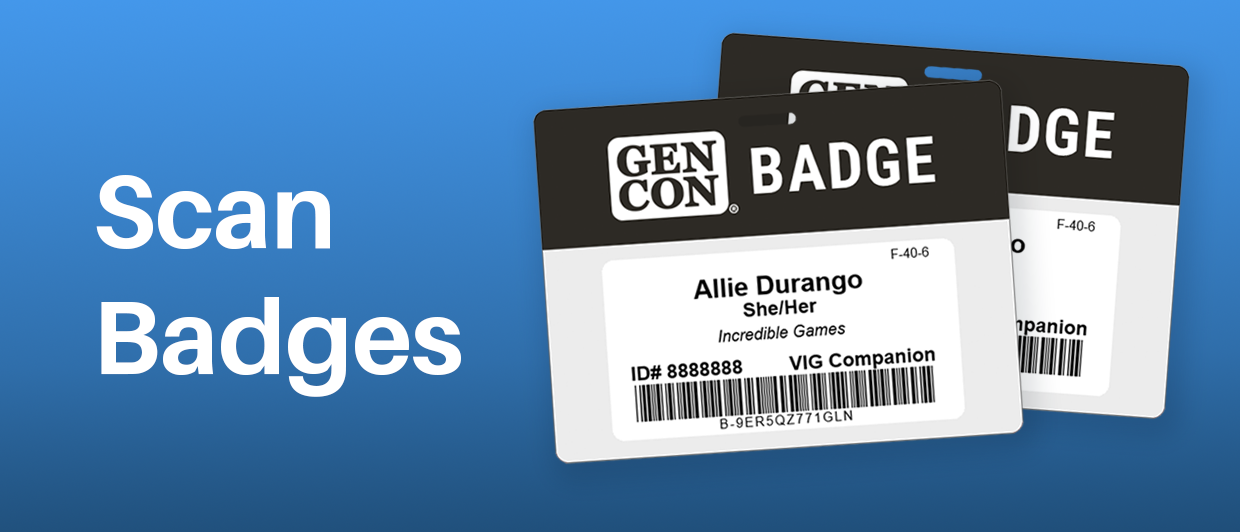
Scan Badges
When players arrive, scan their badge using your phone or Bluetooth device. No manual counting, no paper ticket stubs, and no end-of-day sorting. Everything you need is at your fingertips.

Step Three
Redeem, Sell, and Issue E-Tickets
Use the mobile app or the web scanner interface to scan badges and redeem e-tickets. A quick check ensures the ticket is valid and assigned to the correct attendee. You’ll see their event info instantly, giving you confidence that everyone at the table is good to go.

Easy, Self-Paced Training for a Winning Event Management Experience
Quickly Learn How to Use E-Ticketing
E- ticketing is designed to make your job easier. Our training module
prepares event organizers, hosts, and gamemasters for a winning event
management experience. You’ll have the opportunity to test-scan badges,
troubleshoot different scenarios, and more.
Get prepared to host the best event at Gen Con. Attend the free,
self-paced training session today.
Begin Training
Sign Up for Updates
Sign up for the monthly EO/GM newsletter to stay informed on critical
deadlines, policy changes, exciting announcements, and more.
For all things happenings at Gen Con, sign up for our Gen Con email
newsletter too.
Questions?
More information can be found in the FAQ, or
email us at [email protected].
During the convention, stop by GM HQ (ICC Room 116) to speak with us in
person.